Introduction:
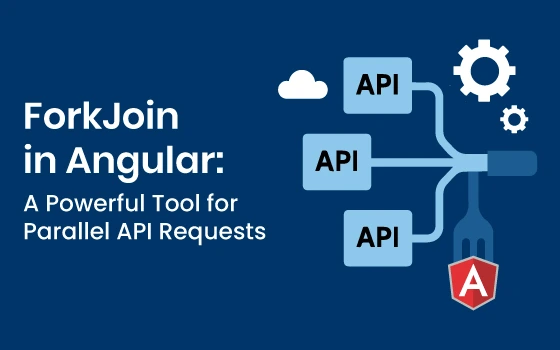
When working on Angular applications, you often encounter scenarios where you need to make multiple HTTP requests simultaneously, and only continue once all of them are complete. That’s exactly where RxJS’s forkJoin shines.
In this article, you'll learn what forkJoin is, how it works in Angular, and how to use it for parallel API requests efficiently.
What is forkJoin?
forkJoin is an operator from RxJS that takes multiple Observables and returns a new Observable that emits the last emitted value from each input Observable once they all complete.
It’s similar to JavaScript’s Promise.all(), but built for Observables.
Why Use forkJoin in Angular?
- To combine multiple HTTP requests and handle them together
- To optimise performance by avoiding sequential calls
- To write cleaner, more maintainable async logic
- To reduce callback hell or nested subscriptions
Basic Syntax
import { forkJoin } from 'rxjs';
forkJoin([
	observable1,
	observable2,
	observable3
]).subscribe(results => {
	console.log(results);   // [value1, value2, value3]
});
You can also use object notation for named responses like below:
forkJoin({
	profile: observable1,
	posts: observable2
}).subscribe(results => {
	console.log(results.profile, results.posts);
});
Real-World Example: Parallel HTTP Requests in Angular
Scenario:
You're building a dashboard that loads a user's profile, posts, and notifications, all at once.
import { Component, OnInit } from '@angular/core';
import { HttpClient } from '@angular/common/http';
import { forkJoin } from 'rxjs';

@Component({
	selector: 'app-dashboard',
	templateUrl: './dashboard.component.html'
})

export class DashboardComponent implements OnInit {
	constructor(private http: HttpClient) {}

	ngOnInit(): void {
		this.loadDashboardData();
	}

	loadDashboardData() {
		forkJoin({
			profile: this.http.get('/api/user/profile'),
			posts: this.http.get('/api/user/posts'),
			notifications: this.http.get('/api/user/notifications')
		}).subscribe(response => {
			console.log('Profile:', response.profile);
			console.log('Posts:', response.posts);
			console.log('Notifications:', response.notifications);
		});
	}
}
Handling Errors in forkJoin:
If any one of the Observables inside forkJoin errors out, the entire subscription fails.
Tip:
Use catchError() inside individual Observables if you want to handle errors gracefully:
import { catchError, of } from 'rxjs';
forkJoin({
	profile: this.http.get('/api/user/profile').pipe(catchError(err => of(null))),
	posts: this.http.get('/api/user/posts').pipe(catchError(err => of([]))),
	notifications: this.http.get('/api/user/notifications').pipe(catchError(err => of([])))
}).subscribe(response => {
	// Even if one fails, others continue
});
Conclusion
forkJoin is a powerful and essential operator for modern Angular developers working with RxJS. It's perfect for combining multiple HTTP requests and writing cleaner, more maintainable code.
With proper error handling and understanding of its behavior, forkJoin can make your asynchronous workflows in Angular much simpler and more efficient.